Official BILA2CUCI Withdrawal Guide
How to Withdraw in BILA2CUCI
Withdraw Method & Guide (Auto Transfer)
All withdrawals are processed via Auto Transfer. Please ensure your bank details are correct.
-
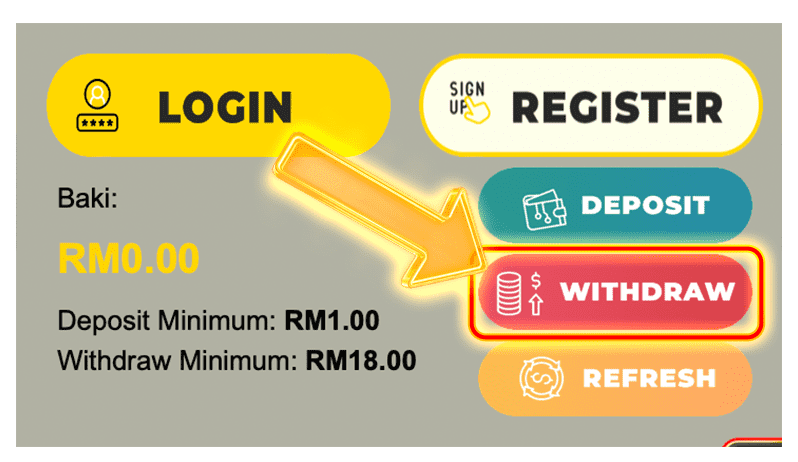
1Go to Withdraw Page
Login and tap Withdraw from wallet. -
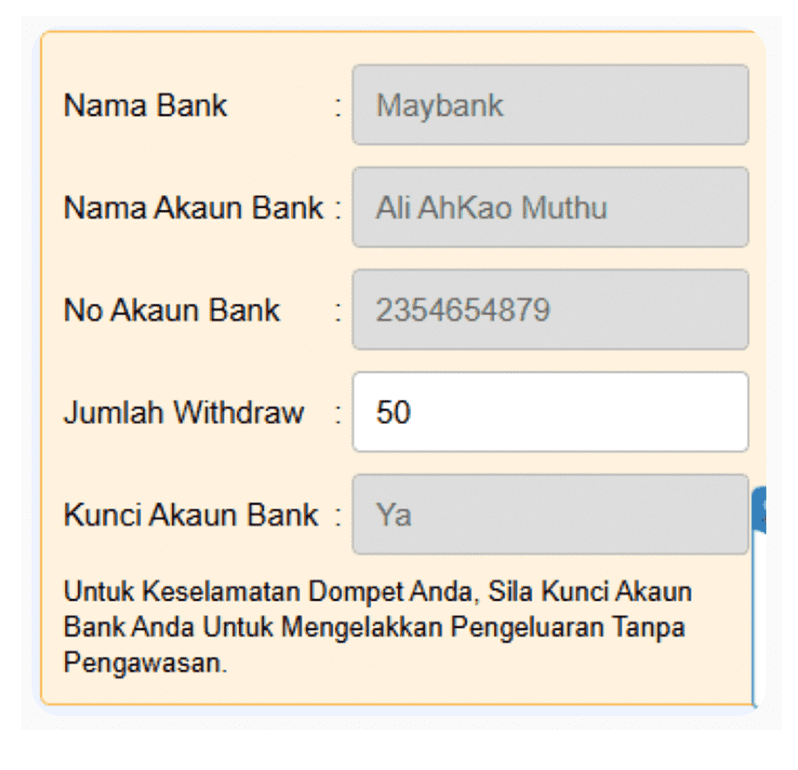
2Confirm Bank Details
Ensure bank name & account number are correct. -
3Enter Amount
Submit withdrawal request. -
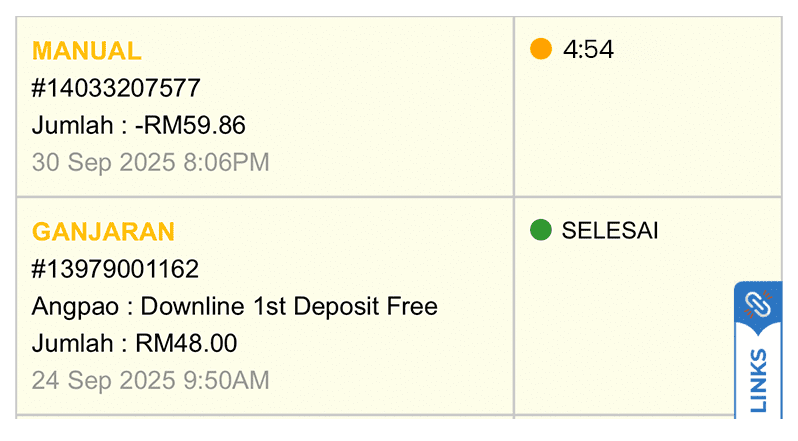
4Processing
Auto transfer will process your request.

WITHDRAWAL GUIDE
1
CLICK WITHDRAW
2
Enter Amount
3
Click Submit

4
PLEASE WAIT, PROCESSING WILL TAKE 2–4 MINUTES
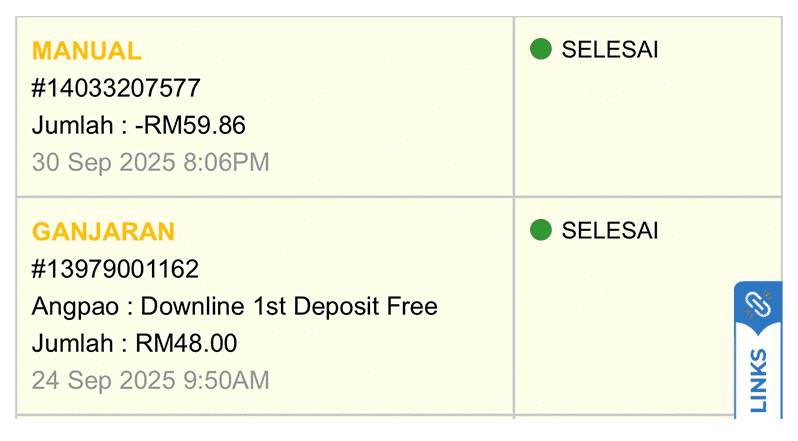
5
Get Receipt
⚠️Important: If your bank provider is under scheduled maintenance, auto transfer withdrawals may be delayed or temporarily rejected.
Withdraw Failed? Please Check the Following
Most withdrawal issues are caused by the reasons below.
-
1Bank Name / Account Number
Ensure both are correct and match your registered bank details. -
2Bank Maintenance
Bank providers such as Maybank, CIMB, RHB Bank, or DuitNow may be under scheduled maintenance. -
3Turnover / Rollover Requirement
If a bonus was collected, required turnover / rollover must be completed before withdrawal approval. -
4Rules Offended
If platform rules are violated, the withdrawal will be rejected. Details will be shown in the Rejected Remark.