Official BILA2CUCI Registration Guide
How to Register in BILA2CUCI
Registration Method & Guide
Follow the steps below to create your BILA2CUCI account successfully.
-
1Go to Register Page
Tap Register on the homepage. -
2Fill in Your Details
Enter username, password, personal and contact details. -
3Enter Bank Information
Provide your correct bank name and account number. -
4Submit Registration
Review your details and submit the registration form.

REGISTRATION GUIDE
1
Click “Register”

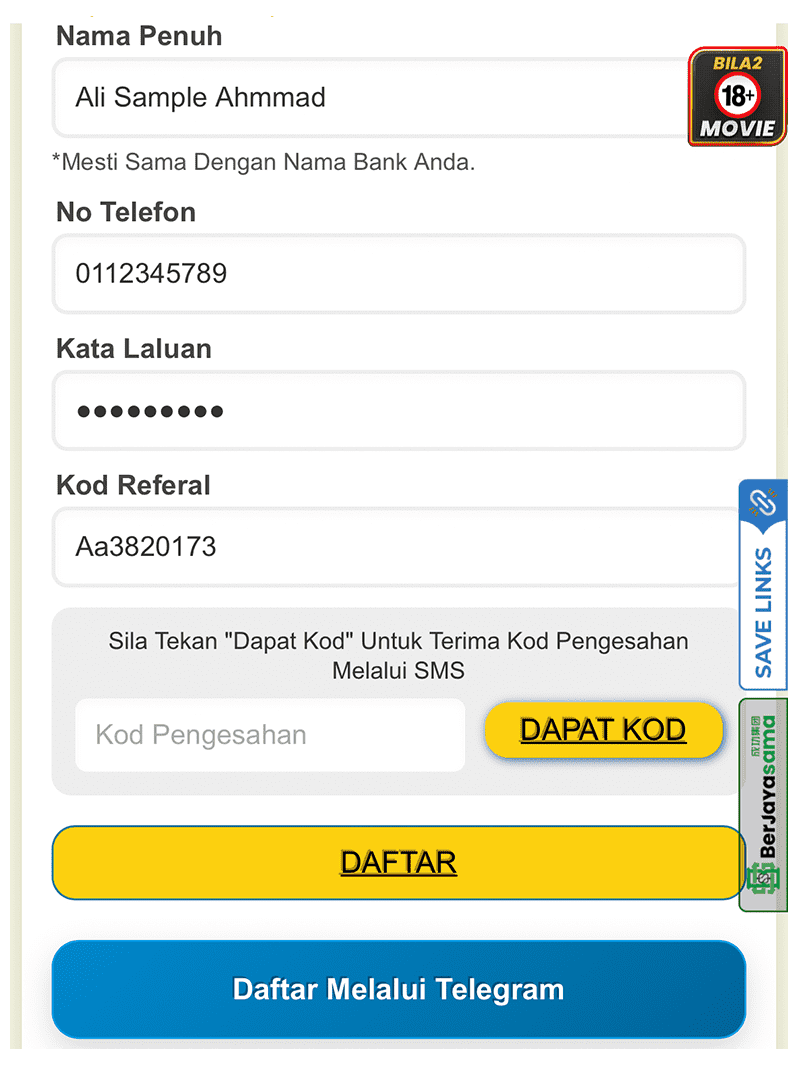
2
Fill in Personal Details
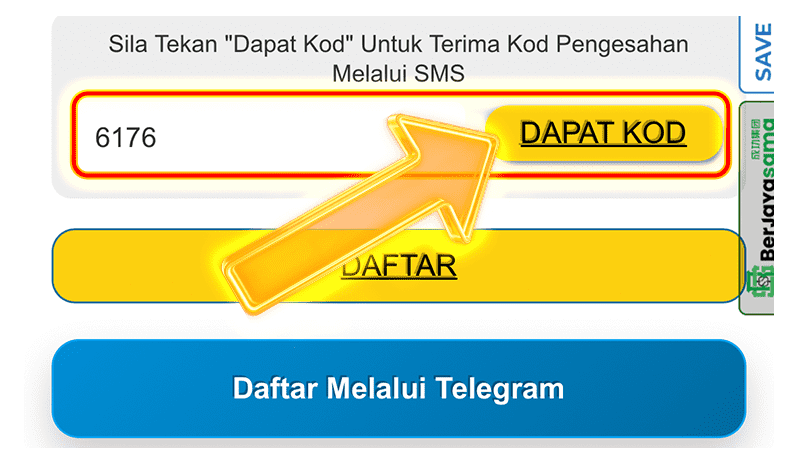
3
Get & Enter OTP Code
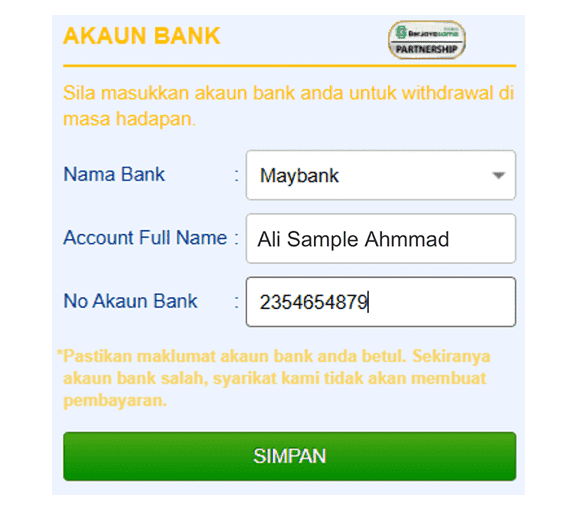
4
Enter Bank Information
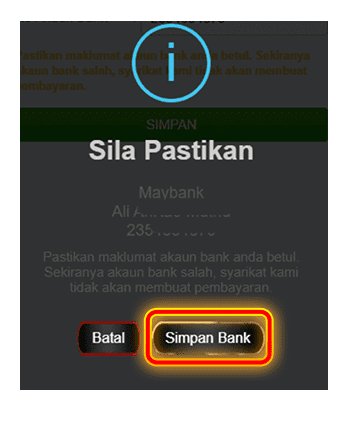
5
Save Bank Information
6
Registration Successful
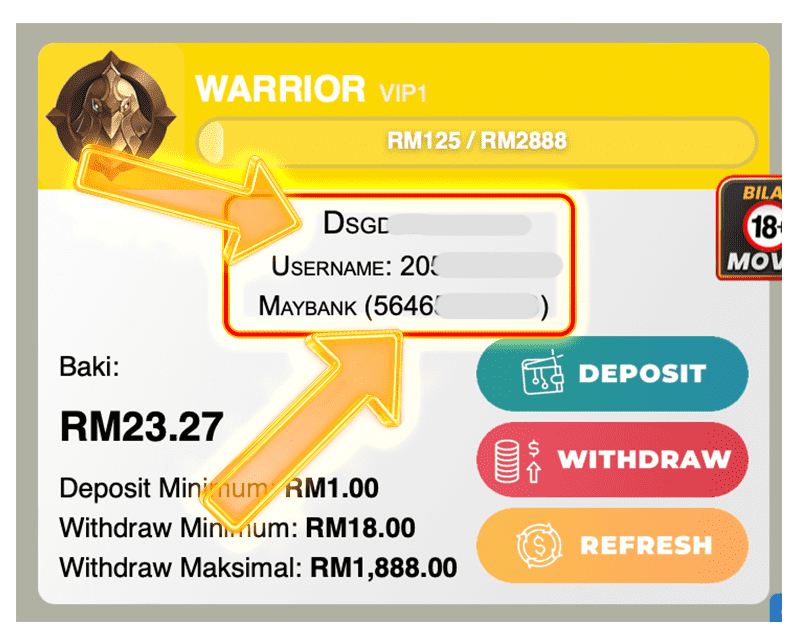
⚠️Important: Please ensure all personal and bank details are correct to avoid issues with deposits or withdrawals later.
Registration Failed? Please Check the Following
Most registration issues are caused by the reasons below.
-
1No TAC code received
Check your phone number and network. If still not received, contact Customer Service. -
2Bank already registered
Use a bank account that has never been used on the platform.